ClickFlow
SEE DEMOGET STARTED

ClickFlow walkthrough

SEO + AEO Results

Who's actually clicking — Google or ChatGPT?

ClickFlow's Results dashboard is a performance scoreboard built on your own Google Search Console and GA4 data. One filter isolates the content ClickFlow created or updated versus your whole site, and the AEO tab measures visits referred by 12 AI platforms — ChatGPT, Perplexity, Gemini, Claude, Copilot and more — including an AI-versus-organic engagement comparison.

Your browser doesn't support embedded video.
ClickFlow SEO + AEO Results — 27-second walkthrough

Your data, one board

Impressions, clicks and CTR from your actual Google Search Console data, engagement from GA4 — no new tracking snippet to install.

The receipts filter

Flip one control and the whole dashboard re-scopes to only the content ClickFlow created or updated. The tool shows you its own scoreboard.

AI traffic, measured

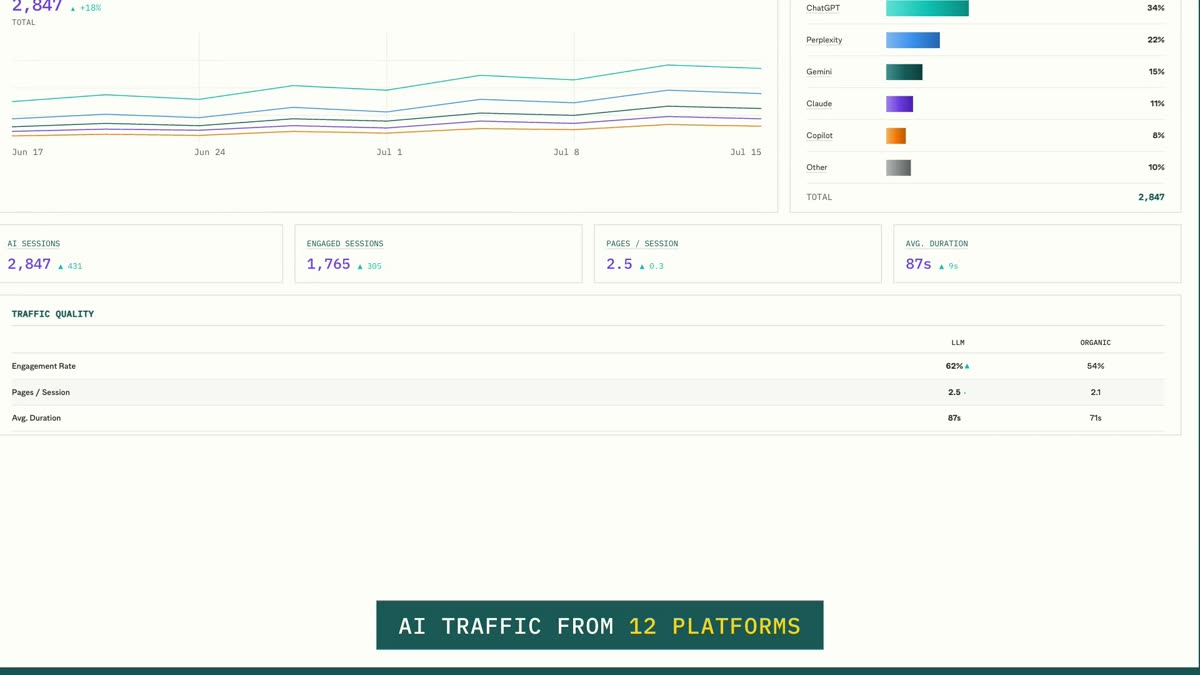
The AEO tab attributes sessions from 12 AI platforms and compares AI visitors to organic on engagement, depth and duration.

Step 1 · Scoreboard

Google Search performance, live from your GSC

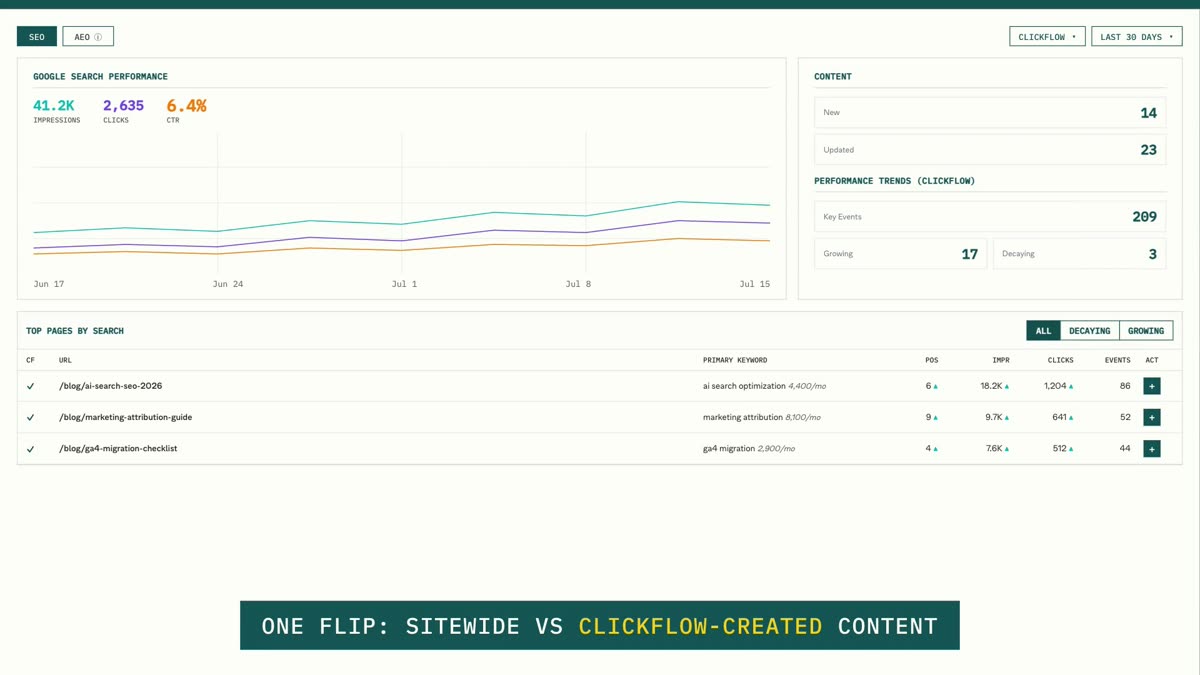
The SEO tab charts impressions, clicks and CTR with growing-vs-decaying page counts against the previous period, and a top-pages table where every row is enriched with its primary keyword and monthly search volume.
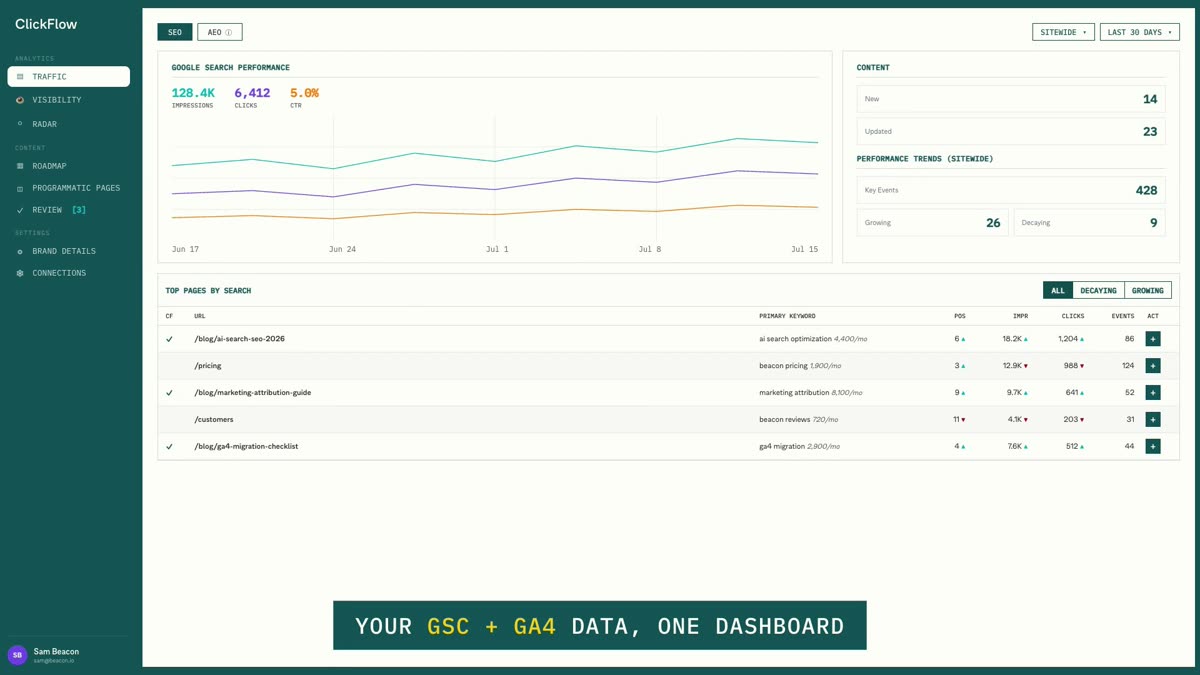
The Results dashboard SEO tab: performance chart, content summary, and top pages table

Step 2 · The flip

One filter: sitewide vs ClickFlow-created

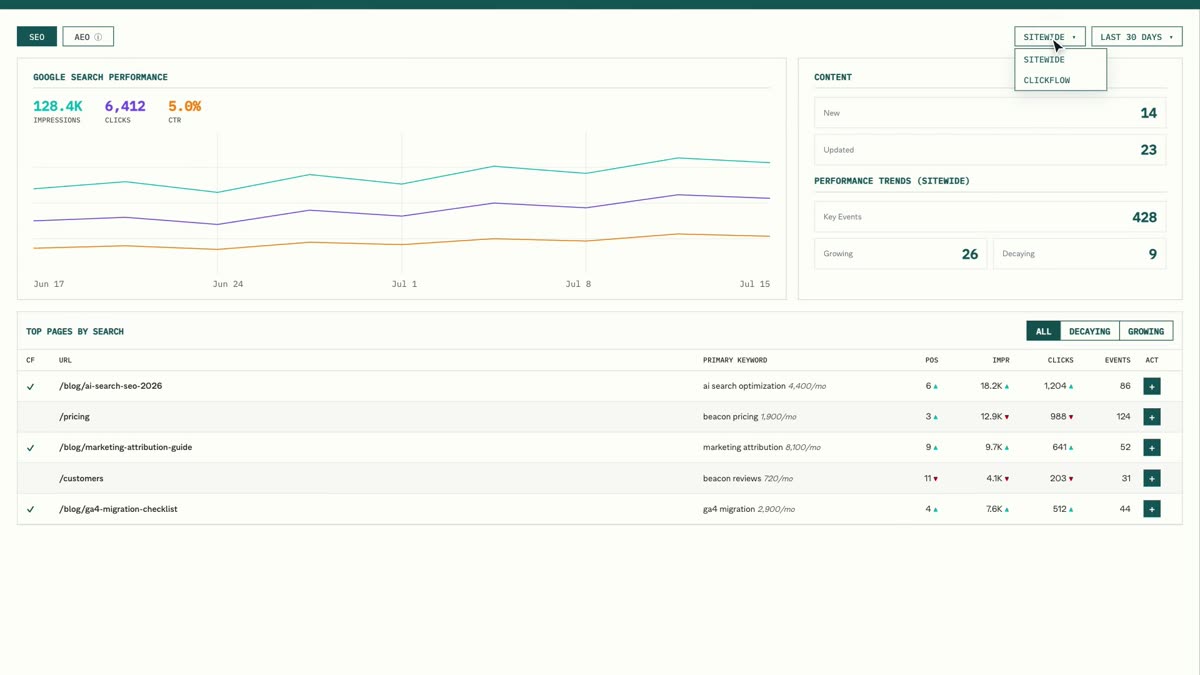
Switch the content filter from Sitewide to ClickFlow and everything re-scopes — chart, trend counts, tables — to only the pages ClickFlow created or updated. Content shipped outside ClickFlow can be attributed manually with “Mark as ClickFlow page.”

The Sitewide / ClickFlow content filter dropdown open on the Results dashboard

Step 3 · Proof

Read the outcome, act from the same row

In the filtered view you see exactly what the tool's own work did — pages, positions, trends. Every row has a Take Action button that starts one of three workflows: optimize against top results, generate FAQ schema, or boost with internal links.

The dashboard filtered to ClickFlow content with Take Action buttons on each row

Step 4 · AEO

The AI traffic your other tools can't see

The AEO tab breaks down sessions referred by 12 AI platforms, shows which pages AI sends visitors to, counts key events per platform, and compares AI visitors to organic search on engagement rate, pages per session and average duration.

The AEO tab: AI traffic chart, per-platform breakdown, and LLM vs organic quality table
12
AI platforms attributed
3
one-click actions per page
±10%
growing / decaying threshold
12mo
longest date range

Questions

Your own Google Search Console and GA4 properties, connected read-only with one OAuth grant. ClickFlow reads your actual search and analytics data — there's no separate tracking snippet.

Connect GSC + GA4 in one OAuth

See whether AI sends you better visitors

Start free →
ClickFlowclickflow.com
ClickFlow
HomeDocsPrivacyTerms